Apple FileVault 2 on older Mac's with SSD
Apple's FileVault2 is a valuable addition to OS X Lion. It offers full disk-encryption which I find to be something mandatory on notebooks these days.
On 'newer' Apple MacBooks, say since the Intel i5 and i7 architecture, FileVault 2 has barely no impact on disk I/O performance. OS X Daily has a fairly excessive benchmark report in which this is pointed out. I use a mid-2011 MacBook Air with an Intel i7 CPU, which benchmarks 200+ MB/s on both write and read with FileVault 2 turned on. Quite impressive speeds.
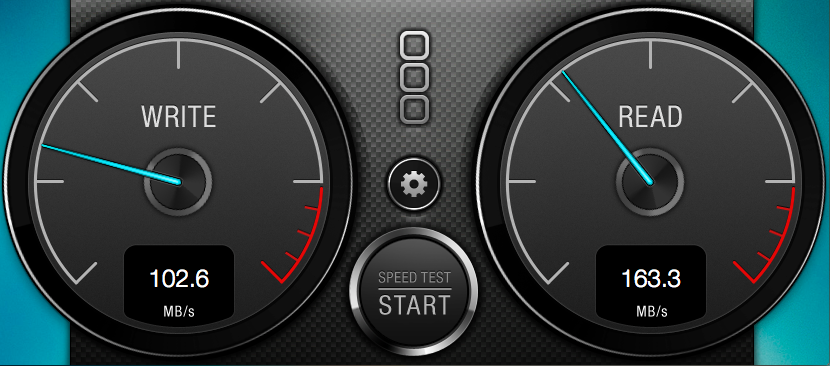
BlackMagic Disk Speed Test - a free Mac App Store app.
On 'older' types of MacBooks, say Intel Core 2 Duo architecture, FileVault 2 has a bigger impact on disk I/O performance.
In my case, I've enabled FileVault 2 on a late-2008 MacBook Pro (Intel Core 2 Duo CPU) with an OCZ Vertex 2 SSDdisk. Without disk-encryption this SSD reaches over 200MB/s in both read and write speeds in OS X Lion. With FileVault2 enabled both speeds are seriously affected. Write speeds is impacted by 50% and Read speed with about 25%.
Still, very acceptable speeds. But definitely a factor when considering to use FileVault 2 on older types of MacBooks.
Resources:
FileVault 2 Benchmarks Show Full Disk Encryption is Faster Than Ever in OS X Lion
MacBook Air SSD Benchmarks: 2010 vs 2011 vs Lion Encryption
blog comments powered by Disqus